
A familiar way around
Tabs, a folder tree, breadcrumbs, and back, forward, and up. Everything sits where you expect it.
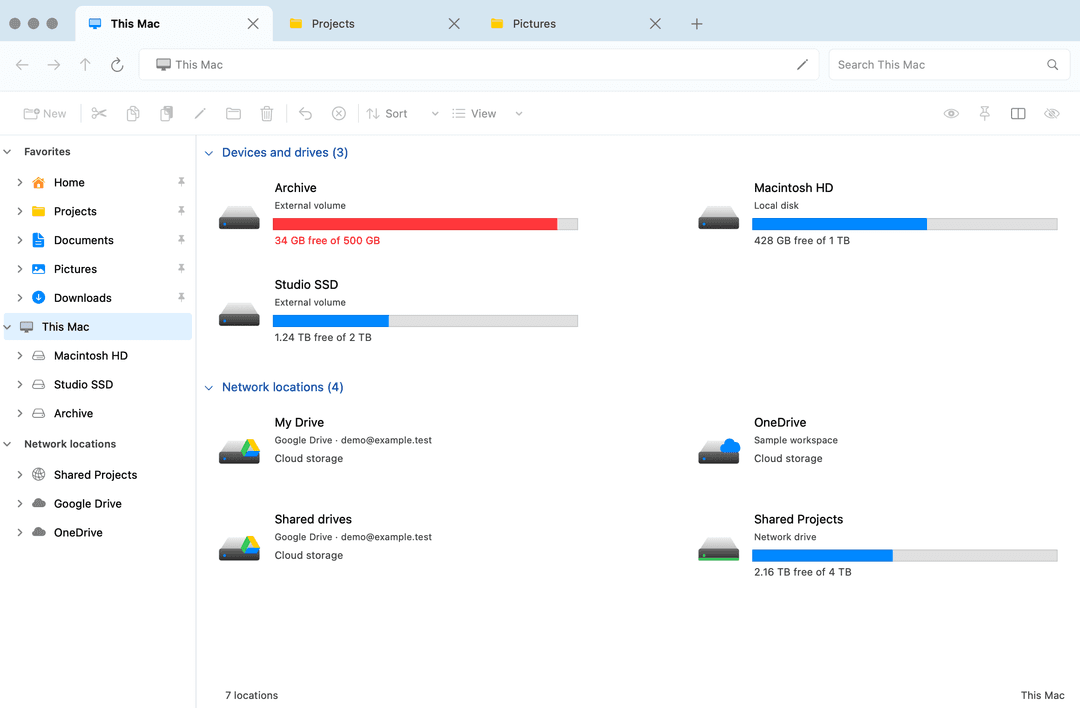
A native file manager for people who like their Mac and miss Windows Explorer. Tabs, a folder tree, dual panes, and search — Developer ID signed and notarized.
Version 0.11.3
3.6 MB
MIT license
The navigation you know, with the Mac features you already use.
Tabs, a folder tree, breadcrumbs, and back, forward, and up. Everything sits where you expect it.
Open two panes side by side. Drag files between folders, reorder tabs, or pull a tab into its own window.
Search folders and subfolders with highlighted matches, file details, and clickable paths back to the containing folder.
Copy, cut, paste, rename, move, and trash, with familiar shortcuts, conflict handling, and undo.
Drives, storage usage, mounted network shares, and locally available cloud folders such as Google Drive and OneDrive, in one view.
Quick Look, thumbnails, Finder color tags, light and dark modes, and a configurable global shortcut.
Compress a selection into a ZIP, or Extract All into a named folder. Choose a destination, handle conflicts, and undo. Standard ZIPs only — no passwords, Finder tags, or resource forks.
Open With lists compatible apps. Open folders in your terminal, and text, JSON, or YAML in your editor. Properties uses the native Get Info window.
Built with Swift and AppKit and shared under the MIT license. Ideas, bugs, and forks are welcome on GitHub.
One DMG for Apple silicon and Intel. Version 0.11.3 is about 3.6 MB and requires macOS 14 or later.
Open the DMG, then drag Explorer into the Applications folder. The release is Developer ID signed and notarized.
Pin your folders and set a favorite shortcut. Updates are signed with Sparkle — check from Explorer → Check for Updates.
Free to download. No account, subscription, or license key.
Explorer requires macOS 14 Sonoma or later. One universal download supports Apple silicon and Intel.
Explorer is a standalone file manager for everyday browsing. Finder stays available for system features.
Yes, when those folders are already available on the Mac. Install and sign in to the cloud provider’s app, or mount the share first. Explorer does not sync the cloud itself.
Yes. It is open source under the MIT license. There is no subscription, account, or license key.